FileMaker 2023 (v20) added minor functionality to the FileMaker Data API. Here, we'll cover an overview of the new date format parameters, Save Record as PDF script step, and several bug fixes. We also want to mention another option, FileMaker's OData features, for some of the integrations we might otherwise handle via REST, cURL, and the FileMaker Data API.
We're providing a tutorial file for learning more and trying out various REST and cURL functionality with FileMaker's Data API. Enjoy!
FileMaker Data API: A Brief History
This blog post, and the tutorial file (see below) were put together by several Beezwax developers, including Darren Burgess and Siroos Jafary. Darren and our team have been sharing resources for learning and using the FileMaker Data API, from when it was first introduced with FileMaker 16 through more recent versions.
Here are links to this series of blog posts. This can help you review the evolution of the FileMaker Data API (FM DAPI) over the years, or if you're new or need a refresher on how it all works.
- FileMaker 16 - FM DAPI in 'beta'
- FileMaker 17 - Official release of FM DAPI with 10 endpoints
- FileMaker 18 - 5 new metadata endpoints and nicer documentation
-
FileMaker 19 - 1 new auth endpoint,
Execute FileMaker Data APIscript step -
FileMaker 2023 (v20) - Date formats,
Save Records as PDF, bug fixes
For any newbies, don't forget to turn on the setting for FileMaker Data API, under Connectors > FileMaker Data API - General Settings within FileMaker Server. This allows you to make HTTP requests against the files hosted on the server.

Date formats and Execute FileMaker Data API
With FileMaker 2023, the date format parameter can be utilized in 'get records,' 'get single record by ID,' and 'find records' actions. It accepts either an integer or a string to specify the format: '0' for US format (MM/DD/YYYY), '1' for locale-specific format, or '2' for ISO 8601 format (YYYY-MM-DD). If not specified, the default setting is '0' for US format.
Save record as PDF script step
In the FileMaker 2023, the 'Save as PDF' script step can be utilized within scripts that are executed by the FileMaker Data API. This enhancement allows for greater flexibility in generating PDF documents directly through API-driven workflows.
Addressed Issues
FileMaker 2023 added a series of bug fixes aimed at enhancing user experience and improving software stability. Each fix addresses specific issues identified in previous versions, contributing to overall performance improvements and smoother operation:
- Table names were missing from responses to FileMaker Data API layout names requests.
- FileMaker Data API returned the incorrect foundCount and returnedCount values for portals when the initial row setting in the portal was greater than the number of the records in portal.
- FileMaker Data API returned incorrect metadata about layouts with repeating fields.
- FileMaker script changes were not immediately available to FileMaker Data API clients until the FileMaker Data API session ended.
Tutorial file: FileMaker 2023 (v20) Data API using REST and cURL
Check out the tutorial file for examples:
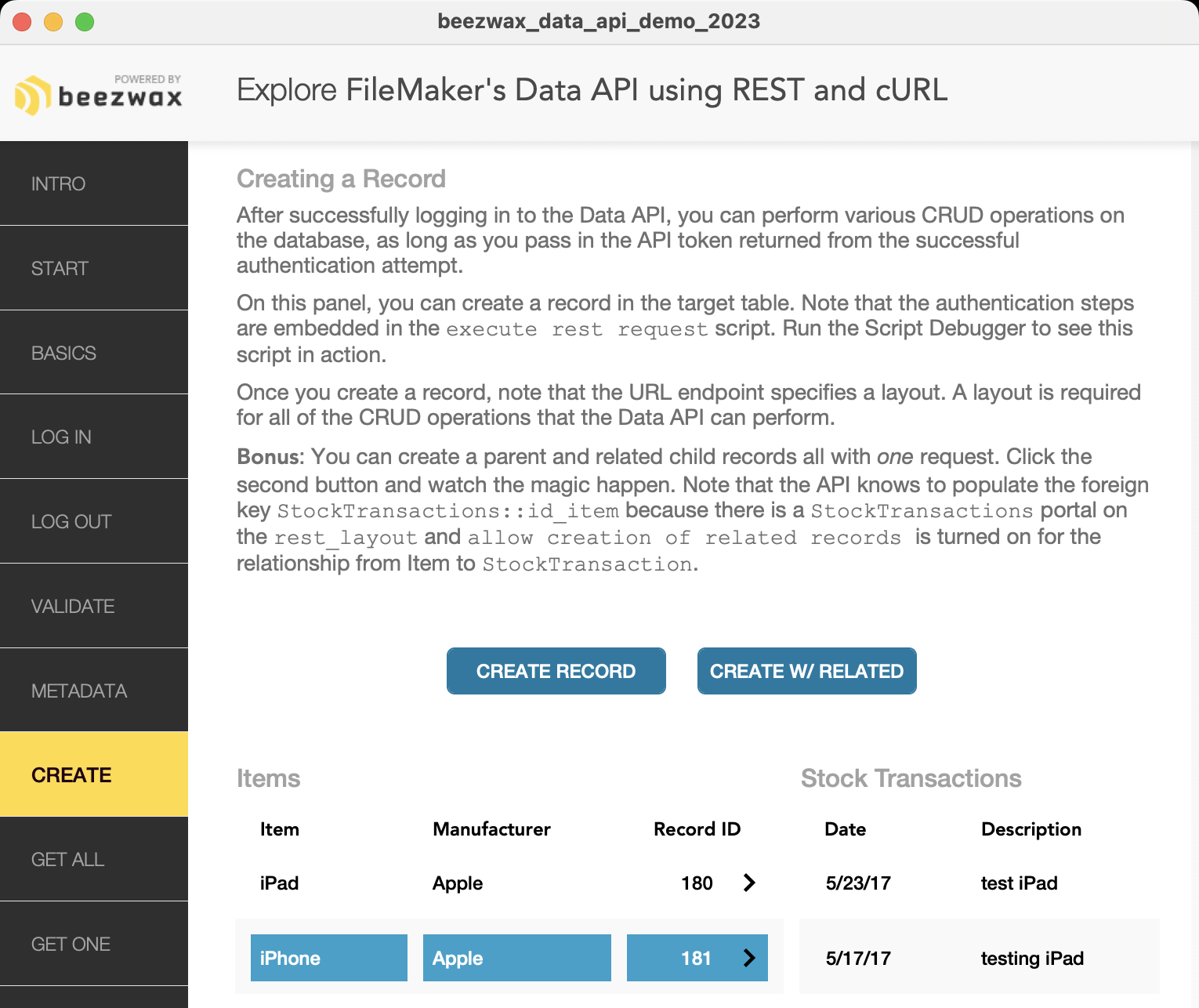
Check out the tutorial file for examples:
Download Beezwax Data API Demo 2023
- packaged as 'bzTrainer-FMDAPI-2023'
- includes beezwax_data_api_demo_2023.fmp12, LICENSE, README.md
- ~522 KB download
Username: admin
Password: admin
The demo file should be hosted on FileMaker Server 2023 (v20.x or later) for full functionality.
This is a simple demonstration file designed to help you get started in your understanding of FileMaker 2023's Data API and cURL options.
This file sends REST requests to itself, and so makes for a good demonstration of Data API and cURL features. To get the most out of the demo, please check out the scripts, especially execute rest request. You can also study the results of requests in the fields to the right side of each layout.
This demo also uses the Execute FileMaker Data API script step with FileMaker 2023. Check out the execute data api script as an alternative way to query the Data API.
Getting Started
- 1. Host this file on a FileMaker Server 2023 (v20.x or later)
- 2. Enter the URL or IP address of your server. Example 192.168.1.50 or hostname.your-domain.com
- 3. Enter the account name and password for the FileMaker user account that will access the API. The default for this file is already entered.
- 4. Enter the file name you wish to access, without the .fmp12 extension (default is this file).
Comparing FileMaker Data API vs. OData
While the FileMaker Data API (FMDAPI) has come a long way since its introduction, there is also now an alternative: OData, which we're also covering in other blog posts.
Both FMDAPI and FileMaker OData API offer methods for interfacing with web services, but they have distinct features and use cases. Here's a brief comparison:
The FileMaker Data API is a RESTful service that allows web services to interact with databases hosted on FileMaker Server or FileMaker Cloud. It's designed to perform database operations such as creating, updating, and deleting records, and retrieving data in JSON format, which is widely used for web applications. This API is particularly strong in its integration with FileMaker's own environment, allowing the use of FileMaker scripts and layouts to configure and automate database interactions.
The FileMaker OData API, on the other hand, allows FileMaker data to be accessed alongside other OData-compliant data sources:
- OData provides a uniform way to query and manipulate data sets through CRUD operations (Create, Read, Update, Delete) using standard web technologies such as HTTP.
- OData also enables you to modify FileMaker schema, for creating and deleting tables and indexes. These are based on the access privileges defined for an account.
- OData supports a range of features like filtering, sorting, and paging data, making it versatile for use in various types of applications, including integration with other services and platforms.
- FileMaker OData is well-suited for applications that need to interact with multiple database systems or replace traditional database connectivity options like ODBC and JDBC.
- The FileMaker OData API does not require the installation of additional drivers or software on the client, which simplifies deployment and maintenance.
Overall, the FileMaker OData API is well-suited for applications that need to interact with multiple database systems or replace traditional database connectivity options like ODBC and JDBC.
In other blog posts, we're covering more about OData and the FileMaker OData API.