As a FileMaker developer, I have powerful tools. But I have long wished for a highly-efficient mechanism for representing and reproducing any arbitrary set of records. Now, it’s here, with FileMaker 2025:
• GetRecordIDsFromFoundSet – function
• Go To List of Records – script step
This is fantastic. Something I have wished – for a long, long time!
Now let’s cover these new methods, with an example file (which you can also download – see below).
Developer Dreams, a poem
All else to do with data – sets and subsets of selected records,
– developer dreams, a poem
are just useful intellectual constructs, invented by developers,
utilized inside FileMaker, to navigate dreams
we have about the work that we do
Claris did not introduce those constructs; we already had them, courtesy of our own imaginations and our will to create. Claris simply watched and listened, then introduced fantastic features that make our work with the visions that we’ve had more powerful, and dramatically more efficient.
First, some history
In the beginning, we used techniques to mark sets of records. This usually involved a Number field formatted as a checkbox, so a user could click the checkbox. The drawback was that this would lock the record – if the user did not commit the change that record would remain locked.
Then, scripting came along. You would script this interaction so the record could get flagged and committed at the same time. But this still involved making a change to the record, even though no underlying data has changed. All we really wanted was just to select multiple records.
Example: Student Field Trip with FileMaker 2025
To compare the capabilities introduced with FileMaker 2025 (v22), let’s look at the following use case:
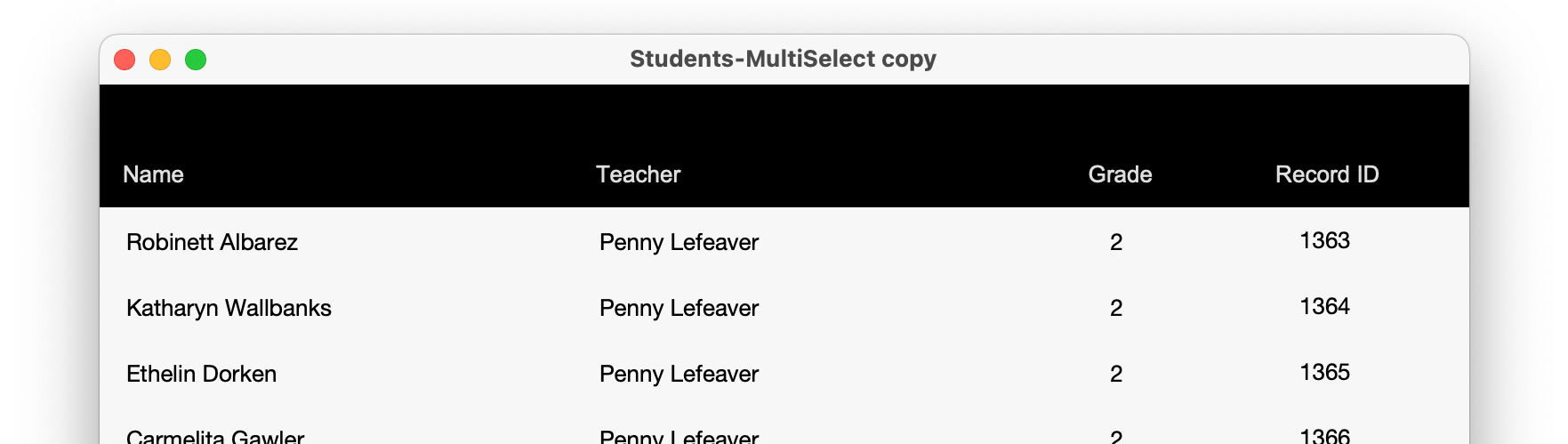
Imagine a Students database where the teacher needs to select one or more students who are in her class and take some actions on those records. For example, selecting which students are going to be going on a trip to a local museum. Not all students will be going, so the teacher needs the ability to select the ones who will be going and perform various actions on those records.
Legacy methods
Way back when, we would have a “flag” field that would allow the user to mark which students were going on the trip. This field would be used to temporarily mark those records for students, but special care would be needed when using this flag field. Due to the file being hosted, two different teachers could be in the table … the list of students and, although looking at students in their respective classes. When it would come time to find the marked records if they did not pay close attention they might be seeing students that they did not mark as attending this class trip.
This technique eventually evolved and another approach was used. A global field would house a list of primary keys of the students who would be going on the trip. Then the flag field got converted into a calculation field that would check to see if the primary key of the record is in the list of keys in the global. If so, it would return a boolean value of “1”. If formatted as a checkbox then one would use a visual affordance for users to see which students are going on the trip. This solved the problem of multiple users who might overlap… but now one could not simply search on the flag field – instead, one needed to go to related records to see the students that are going on the field trip. This required more stuff, including a relationship and Table Occurrence – however one could also have a script perform multiple find requests to locate the students who are attending the field trip.
Let’s step back for a moment and look at these old ways of doing things. One might see that we need to have a global field to store the keys, plus a relationship and a table occurrence to be able to go to the selected records. Normally primary keys would already be indexed, so having that index for going to related records wouldn’t be a big deal. The developer might choose instead to use the Student ID as the value to build their multi-keys with. Yet another index! Don’t get me wrong, I have nothing against indexes, only a wish for simplifying all of this, and to achieve the same functionality without needing to even have an index. More on this magic shortly.
Having these additional components just added to our technical debt: If you were importing data into those tables then those indexes would need to get updated as the import happens. That slows down the import performance, not to mention that it takes up more space and can also slow down backups.
Over the years one of the things that I have come to appreciate is the moment when we gain new features or capabilities, be it either with the OS or a new version of FileMaker. That is always a ripe opportunity to revisit old code or approaches and see how we can improve our solutions.
GetRecordIDsFromFoundSet
Ok enough said about the past… Now, let’s step into how this might be architected with FileMaker 2025, and beyond. First let’s look at the new function:
GetRecordIDsFromFoundSet ( type ) – It has one required parameter. See description below of what each value represents.
Here is the FileMaker Help description of this function when looking at it in the calculation dialog:
“Returns record IDs from the current found set as a list or a JSON array.”
There are different types that you can return. Here is the number value with the description of each of them. And with an example using 25 records with record IDs from 1 to 25.
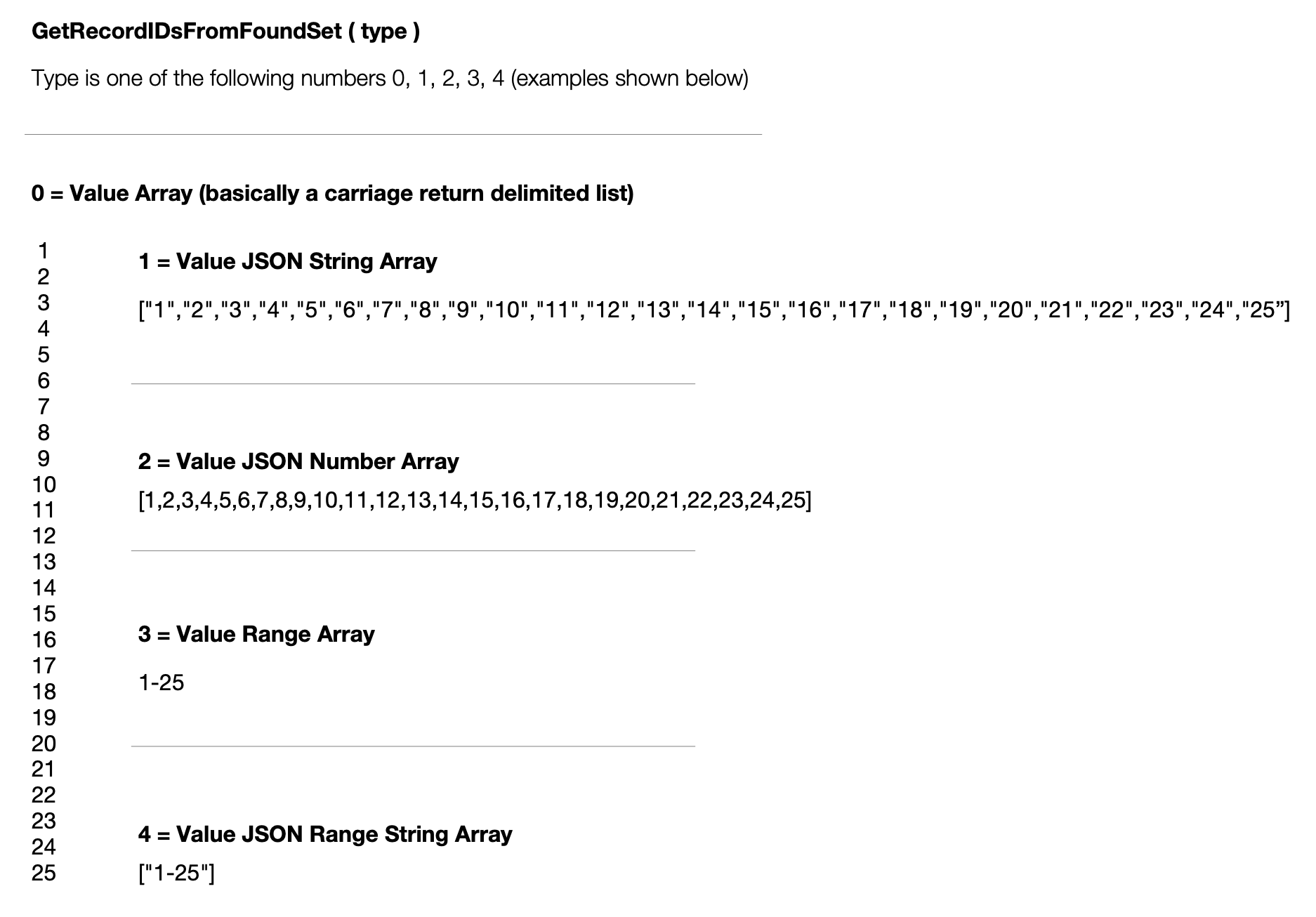
To summarize, in total there are 5 types and all you need to pass in is the number for the type of list of IDs that you want.
0 = Value Array
1 = Value JSON String Array
2 = Value JSON Number Array
3 = Value Range Array
4 = Value JSON Range String Array
Note: This really leveraging code from a snapshot link in the way it gathers the IDs, and can be very efficient. So, if the records you are passing to the server have no gaps in the record IDs, then the range would be simply be “1” through “25”.
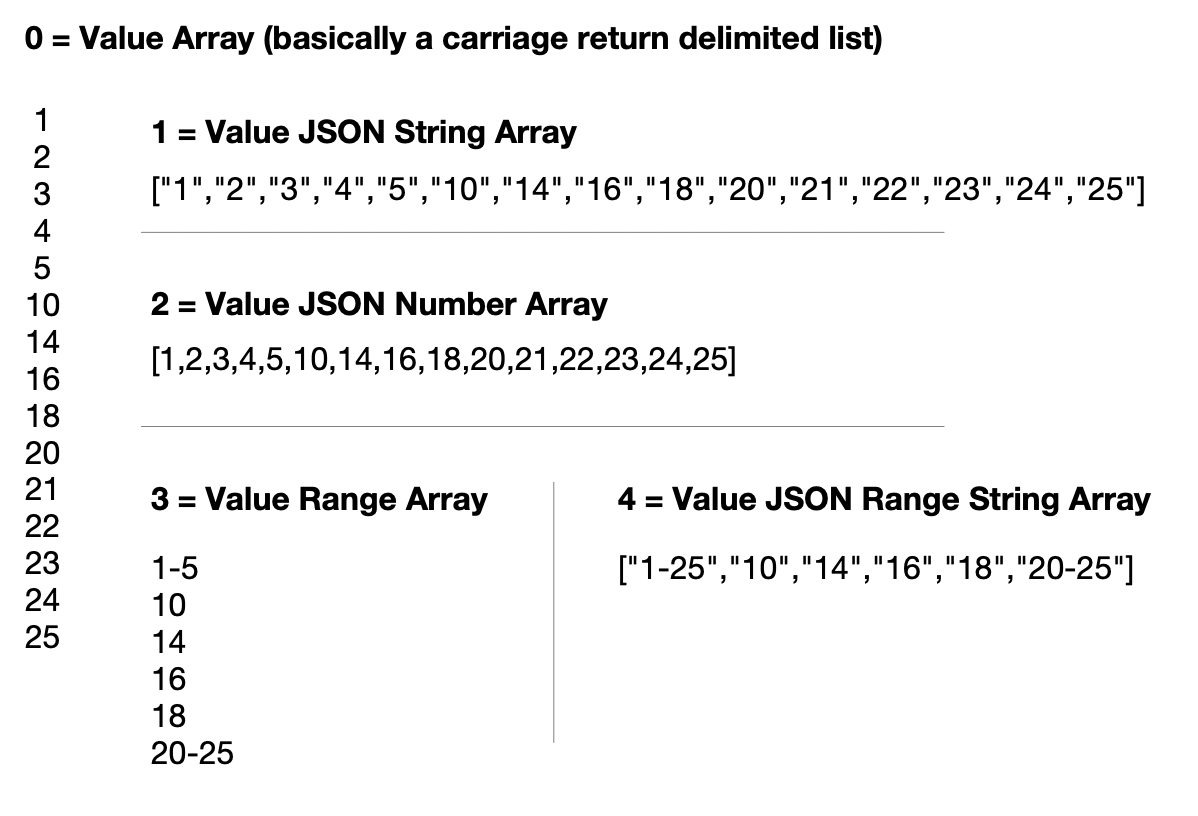
But let’s say your list of Record IDs was something like this – note the gaps between ID numbers.
1
2
3
4
5
10
14
16
18
20
21
22
23
24
25
Now here’s how the output for each type would look like – you get the idea. And you can see how efficient it can be if you did not have any gaps in IDs.
Go to List of Records – Displaying the Records
With the list of IDs selected we now can ask FIleMaker to show us those records by using the Go to List of Records script step. Here are the options when using this.
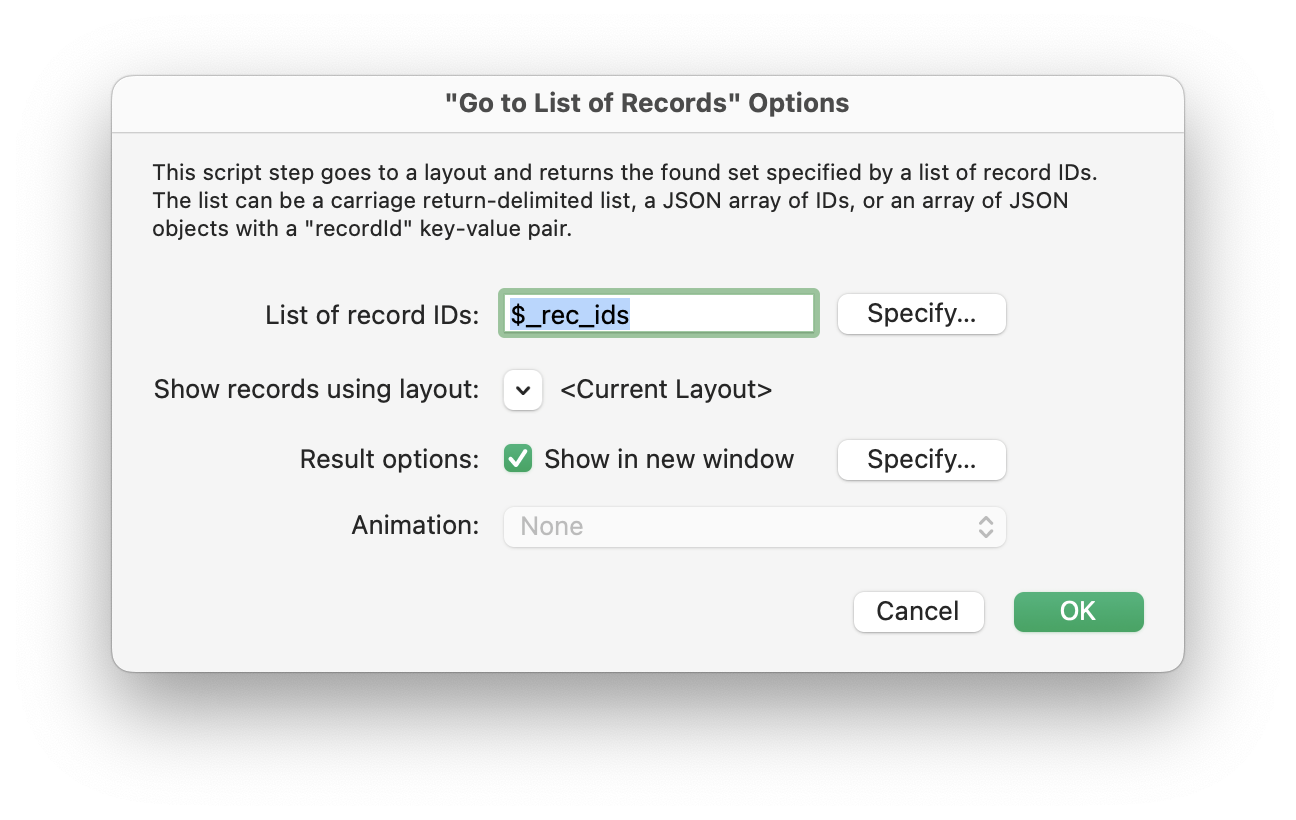
We’ll pass in the list of IDs that we selected. And then we need to tell it what layout we want it to show those records for.
Because Record IDs exist in all Tables … if you choose the wrong layout to show your list of Record IDs for, then you may still see records but not the ones you were expecting to work with… so be careful.
The other options for this script step is to determine which layout to use. Think of this script step much like Go to Related Records.
But you don’t need to have a relationship for this to work. All you need is the list of IDs and which layout you want to see those list of IDs in. So, this would work even if you somehow had IDs already stored somewhere and you wanted to show records for a layout that isn’t even connected to this layout in any way (in the current window or a new window).
There is something else to bear in mind when using this. Let’s say you have a list of 20 students in a class and one of the students got transferred to another class. So when you are looking at the original list of students, you would not see that student, nor be able to select that student. Or let’s say a student record is deleted. So you send in a list of 20 IDs but only end up seeing 19 records. You’ll want to watch out for these edge cases (and maybe even error trap for that if necessary).
Records, Layout and the Impact on UI and UX
Another aspect my examples doesn’t support is to have isolated lists for different windows. We can get around this by building window parameters. Think of these things like window variables. So, for example, you may want one window open with 6th grade students, and you have another window open with 5th grade students. In that case, you’ll have to make sure that when you execute Go To List of Records that you are only looking at the records selected for 6th grade students and not both the 5th grade selection and 6th grade selection.
Feature Request for Claris: We hope at some point that we’ll get a Window ID. Then we can build our own JSON structures associated with each Window ID.
There’s also special consideration for when a user omits a record. These examples don’t take that into account, so we’ll leave that as an exercise for the reader in terms of bonus points.
A Multi-selection Example
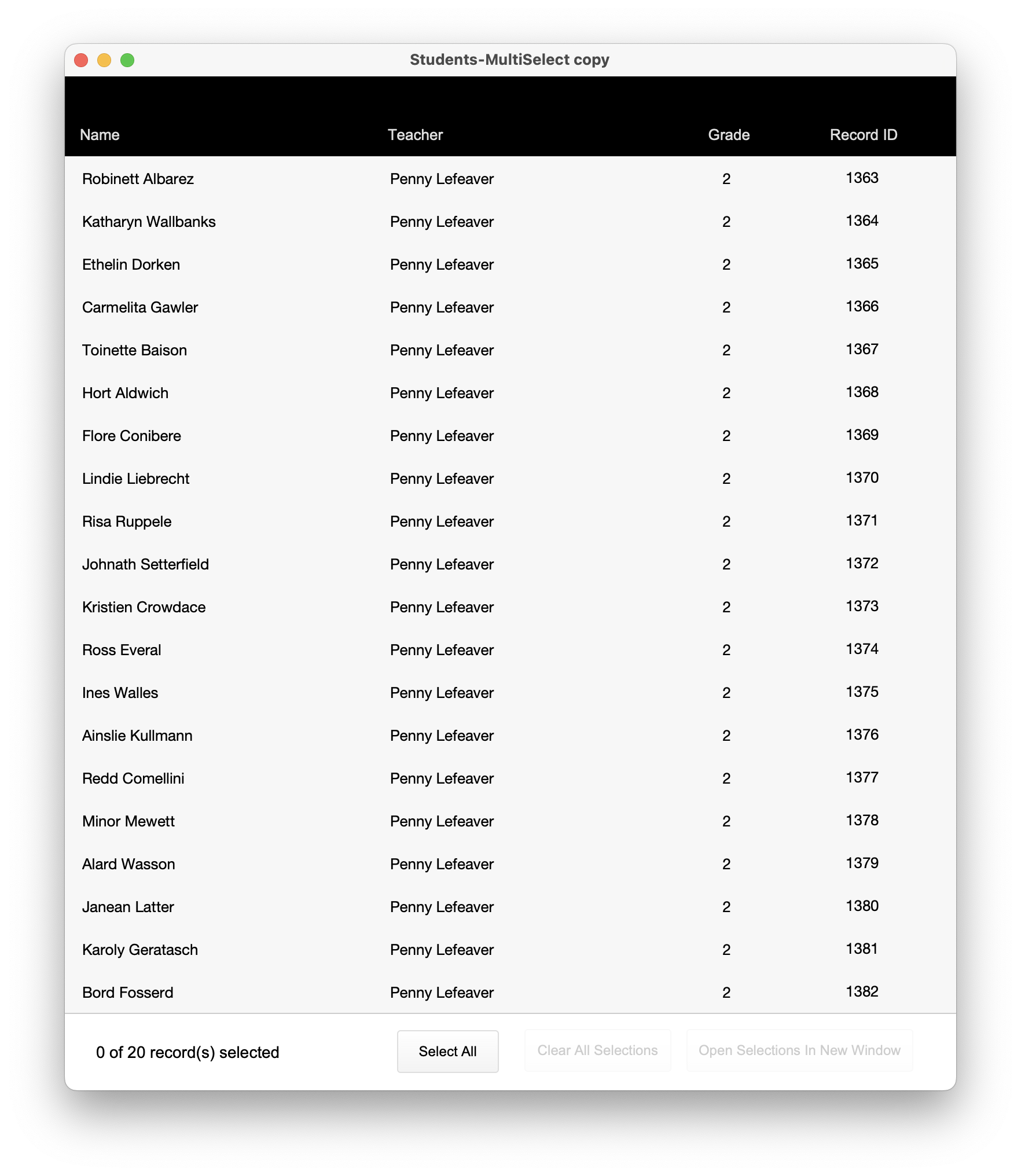
Here are some screen shots of multi-selection in action:
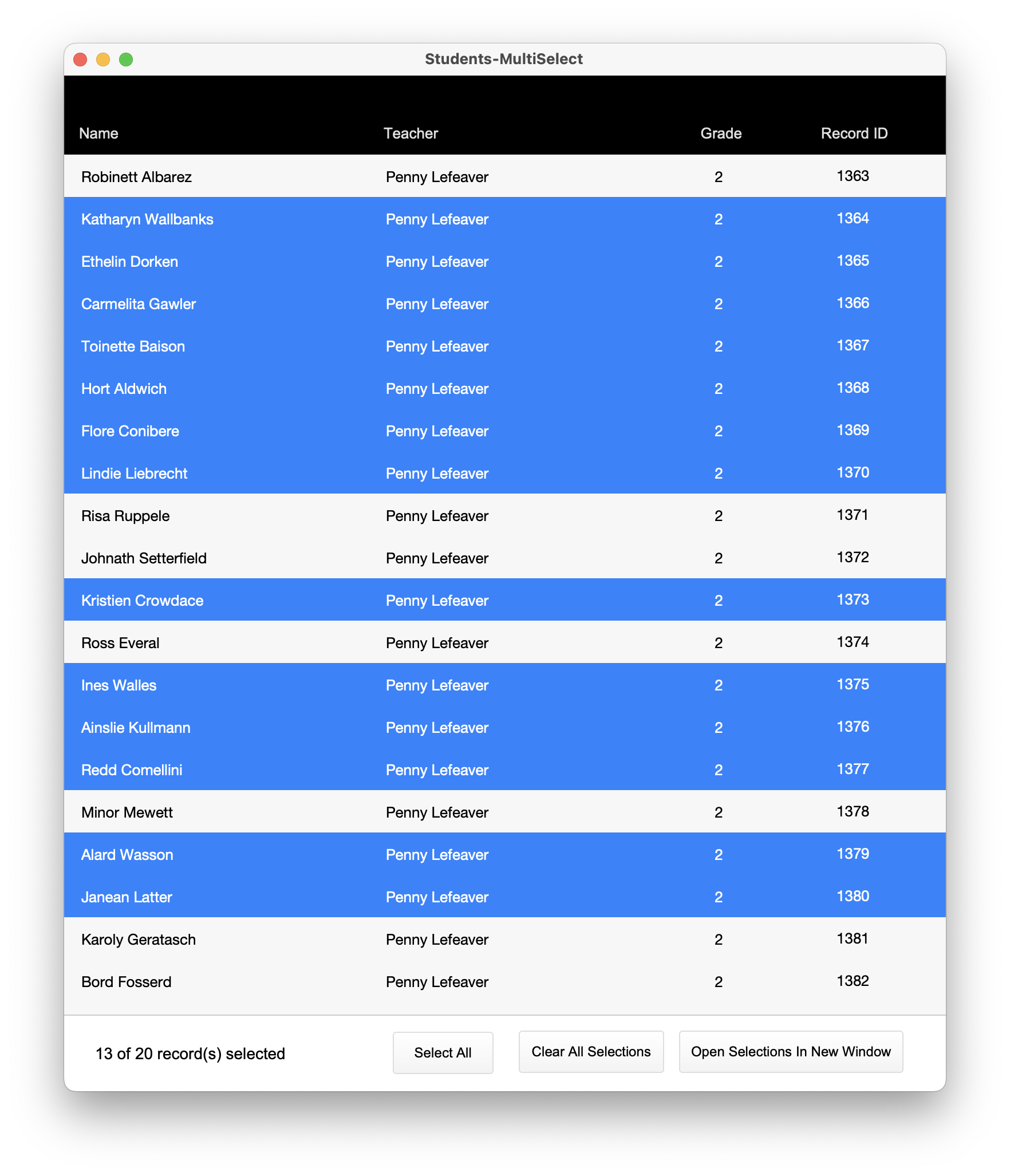
Note that with this approach one can also have ZERO selected records… How is that possible, you ask?
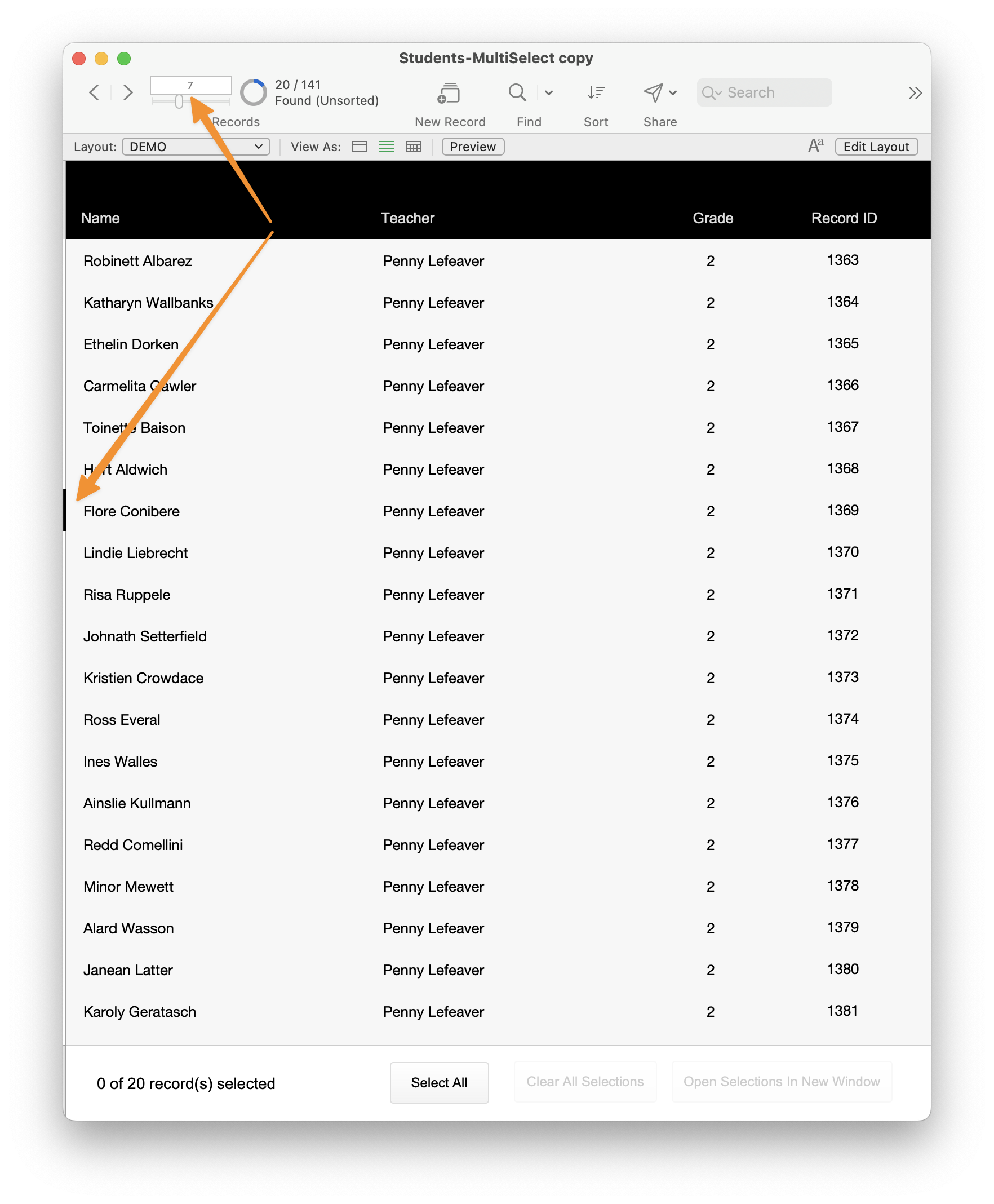
FileMaker is always sitting on a record. But we only give the illusion that we are not sitting on a record. If we were to show the Status Toolbar, you would instantly see that we are in fact sitting on a record.
I used conditional formatting to highlight the row(s) that have been selected. This has been possible to do even before we got these new features. But what the new capabilities open up is the ability to “representing and reproducing any arbitrary set of records.” In this case, that means any arbitrary selected set of records.
If we show the Status Toolbar, and toggle the layout option of “show current record in list view,” we will see that we are always on a record except when we have no records in our table or in our found set.
MultiSelect, using FileMaker 2025 methods (example file)
- download via GitHub
- example file is named “Students-MultiSelect.fmp12”
- download folder includes
Students-MultiSelect.fmp12, README andLICENSE - ~569 KB download
This example file requires FileMaker Pro 2025 (v22.0 or later).
Summary
FileMaker 2025 (v22) introduced GetRecordIDsFromFoundSet and Go To List of Records. These features simplify record management, enhancing efficiency by eliminating the need for complex relationships and unnecessary fields. They allow users to effortlessly select and display various records, reducing technical debt and improving user experience.
There are all kinds of use cases where this can be used, and it doesn’t have to only apply to records in List view. These techniques can be used to gather IDs and then to locate those records to view them. This should work even looking at the records from a portal. Let’s say you have a customer that purchased some products and you’ll end up offering some kind of discount on some of the products purchased. This could be interfaced with the above technique and the records located and processed with Go To List of Records. Quickly and efficiently.
Talking about efficiency… That is something we haven’t discussed much in this post. But it is dramatically different in many ways. First off, these new techniques help reduce the technical debt impact, by enabling functionality and UX while reducing code and code complexity. As a matter of fact this new technique works without creating a relationship and without needing to add any fields or indexes. It is really magical!
A big thank you to Steve Senft-Herrera who helped build the example file. My discussions with him help me better understand the implications of these two new features. We’re all looking forward to hearing more of what the community ends up discovering more use cases for this, and other functionality in FileMaker 2025.